November 12, 2026 4 min read

Turn Your SOPs Into Custom Safety Training in Minutes
Industry:
Solution:
Every organization has its own safety procedures, equipment, and processes. Standard safety training provides an important foundation, but employees also need to understand how those standards apply to their specific workplace.
Your standard operating procedures (SOPs) already contain much of that information. The challenge is making sure those procedures are reflected in the training employees actually complete, rather than living in separate documents, handouts, or on-the-job explanations.
With Learning Studio from Vector Solutions, organizations can build their existing procedures into trusted Vector training courses. Administrators can upload SOPs, use AI assistance to customize course content, and review every change before publishing.
Connect Safety Training With Site-Specific Procedures
In many workplaces, experienced employees and supervisors are the link between formal safety training and day-to-day operations. They explain how procedures apply to specific equipment, walk new hires through site processes, and clarify requirements a standard course doesn’t cover.
That knowledge is valuable, but relying on the same people to repeat it takes time away from their other priorities.
Bringing site-specific procedures directly into your training makes that knowledge consistent across employees, shifts, and locations.
The result is more efficient onboarding, more consistent SOP training, and more time for experienced employees to focus on their work.
Explore Learning Studio
Bring your procedures directly into the training your employees complete.
Explore Learning Studio
Make Custom Safety Training Easier to Create and Manage
Creating training that reflects an organization’s specific processes has traditionally required significant time, resources, or instructional design expertise. But customizing training shouldn’t mean starting from scratch.
Learning Studio lets organizations build on trusted Vector courses while adding the procedures, terminology, and information that make training relevant to their workplace.
-
1
Turn Existing Procedures Into SOP Training
Administrators can upload an SOP and use AI assistance to draft course content, including narration, on-screen text, and images. They can then review and refine that content with their own equipment imagery, workplace procedures, and terminology.
-
2
Build on Trusted Training Content
Traditional course authoring software and LMS course authoring tools often require teams to build an entire course from the ground up. Learning Studio takes a different approach: organizations customize existing Vector courses built around industry standards.
Training teams get a trusted starting point, plus the flexibility to add the information most relevant to their employees.
-
3
Make Customization Accessible to More Teams
Not every safety professional, training manager, or LMS administrator has a background in instructional design, and they shouldn’t need one to deliver relevant training. With guided editing tools and AI assistance, Learning Studio makes it easier for the teams already managing training to create content that meets their organization’s needs.
Make Safety Training More Relevant to Your Workplace
Employees are more likely to understand how training applies to their responsibilities when it reflects the environment they work in every day. That means going beyond general safety requirements to include the equipment they operate, the procedures they follow, and the terminology they recognize.
For example, a manufacturing company could build its equipment-specific lockout/tagout procedures into an existing Vector course by adding photos of the actual equipment, explaining the facility’s energy isolation steps, and identifying who is responsible for each one. Learning Studio also lets organizations add leadership messages, site-specific instructions, and additional learning materials directly in the course.
Rather than managing separate SOPs, PDFs, handouts, and acknowledgment forms alongside training, organizations can bring that information into a single learning experience. Training becomes easier for employees to follow, and administrators have fewer separate materials to assign, manage, and track.
Keep Training Aligned as Procedures Change
Safety training needs to evolve alongside the workplace. When an organization updates an emergency response process, introduces new equipment, or changes an internal reporting procedure, employees need training that reflects it. Keeping customized training up to date, however, can be challenging.
Learning Studio makes it easier to maintain site-specific training: teams update the customized content and republish the course as procedures change.
Because unchanged Vector content stays linked to Vector’s regular course updates, organizations only maintain their own customizations, not the entire course. That keeps ongoing maintenance manageable and training aligned with workplace expectations.
Deliver Consistent Standards With Training That Fits Each Role
Every employee must meet the same safety standards, but how those requirements apply can differ by role, department, or location. A new hire, supervisor, contractor, and maintenance technician all need safety training, but the procedures and responsibilities relevant to each vary.
By creating customized versions of eligible courses, organizations can reflect those differences while maintaining a consistent foundation. Examples include:
-
Manufacturing:Incorporate equipment-specific lockout/tagout procedures and focus training on the machinery employees actually operate.
-
Food & Beverage:Build sanitation SOPs, food safety processes, and internal reporting requirements directly into employee training.
-
Transportation:Include carrier-specific hazardous materials procedures and tailor training to different driver classifications.
-
Construction:Add site-specific fall protection plans, PPE requirements, and procedures relevant to the work being performed.
Because each course version can be tracked separately, organizations can deliver more relevant training while keeping visibility into completions across teams and locations.
Download the Learning Studio Brochure
See how Learning Studio helps you customize trusted Vector training to meet your organization's needs.
Download the Learning Studio Brochure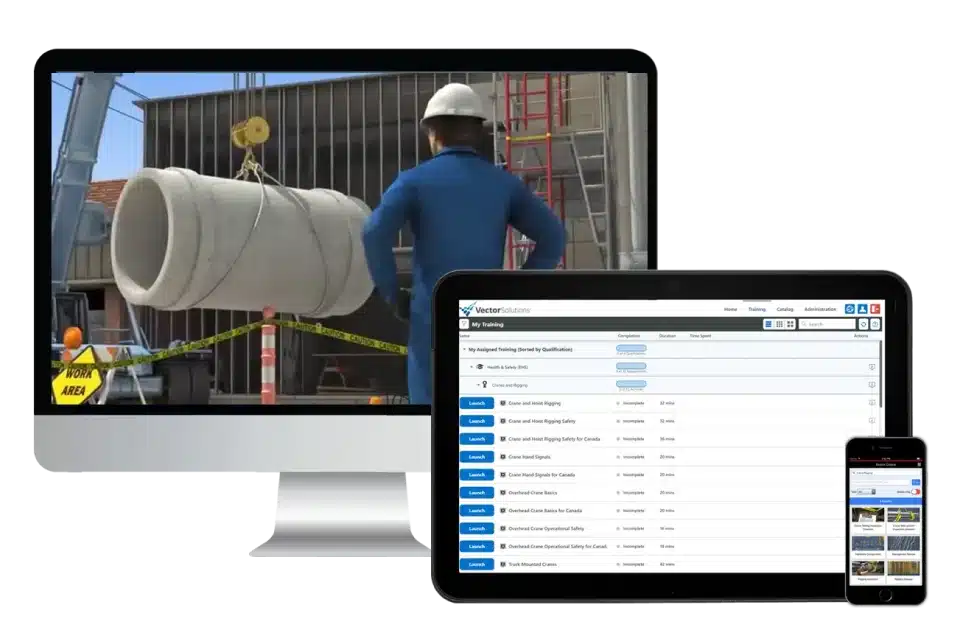
Customize With Confidence and Stay in Control
As organizations add flexibility to their training programs, quality, accuracy, and compliance remain essential.
Learning Studio keeps organizations in control of what they create and publish. AI-generated assessment questions require review and approval before publishing, and the platform warns administrators when a change could affect a course’s compliance or accreditation status.
Once published, customized courses are assigned and tracked in Vector LMS just like any other training. Organizations using a different learning management system can export customized courses via SCORM.
Put Your Existing SOPs to Work
Your procedures already explain how work should be done at your sites. A practical place to start is the SOP your supervisors find themselves explaining most often.
Unlike standalone SOP training software, Learning Studio brings your procedures into existing Vector courses, so there’s no need to develop training from scratch. It’s now available to Vector customers, with a growing list of eligible courses that includes the full Food Safety Library.
Request a Demo
See how you can bring your existing SOPs into trusted Vector courses with Learning Studio.
Request a Demo