August 11, 2026 4 min read

How to Choose an LMS for Compliance Training: Buyer’s Guide
Industry:
Solution:
Your certification records look complete. Then an auditor asks for completions filtered by job classification. Your LMS can’t produce that report. By the time you spot the gap, you’re facing an OSHA willful citation that can exceed six figures per violation.
That’s the difference between a general learning platform and a compliance training LMS built for regulated settings. Audit trails, automatic re-enrollment, and regulatory reporting by job classification aren’t add-ons. They’re the baseline.
A platform that tracks certification by job role and generates audit-ready reports on demand changes everything. It re-enrolls workers before deadlines expire, turning compliance from a manual scramble into a solid system. The vendor review framework in this guide helps you find that platform before an audit forces the decision.
Main takeaways
- A compliance training LMS must deliver automated re-enrollment, audit-ready reporting by job classification, and policy attestation tracking. Most general platforms lack these features.
- Map each regulation you face (OSHA, HIPAA, DOT, GDPR, FINRA) to specific LMS features before contacting vendors. This prevents gaps from surfacing during an audit.
- Run four hands-on tasks in a live demo: course assignment by job classification, automated reminders, filtered completion reports, and audit trail access. These tasks reveal whether a vendor’s platform actually works.
- A single avoided OSHA willful citation or prevented data breach typically covers years of LMS licensing costs. That makes the ROI case easy to present to a CFO.
- Contract terms around data portability, exit fees, and audit support commitments matter. They determine whether you can switch vendors cleanly if the platform stops meeting your needs.
Know Which LMS Features Compliance Actually Requires
Certification expiry tracking, automated reminders, and audit-ready reporting aren't optional in regulated settings. This resource breaks down exactly what to require from any platform you evaluate.
Read the Compliance-Based LMS Features Guide
Why a compliance training LMS is not a general LMS
A general LMS manages course delivery. A compliance training LMS enforces regulatory deadlines and generates audit-ready records by job classification. It also re-enrolls workers when certifications expire. Most general platforms lack these features at all, and the gaps only surface when an auditor is already in the room.
Here’s where generic platforms break down:
- No automatic re-enrollment when a certification expires. A forklift operator’s OSHA recertification lapses, nobody catches it, and the next inspection triggers a willful citation.
- No audit trail exportable by job classification. An OSHA auditor asks for HazCom completion records filtered by role. Your LMS can only produce a flat list sorted by date.
- No regulatory content library mapped to specific standards. Your team builds HIPAA refresher courses from scratch because the platform offers no pre-built content tied to actual regulatory requirements.
- No policy version control with attestation tracking. An employee attested to a safety policy two revisions ago. You can’t prove which version they signed.
- No evidence capture tied to completion records. A DOT driver’s expired hazmat certification voids your insurance coverage. The LMS never collected the credential verification photo.
Signs your current LMS is failing compliance
If any of the following apply, your platform is a compliance liability:
- You manually track certification expiry dates in a spreadsheet.
- You cannot export a completion report filtered by job classification within 15 minutes.
- Your LMS sends no automated reminders before a regulatory deadline.
- You have no record of which policy version an employee attested to.
- Your auditor has asked for records your LMS cannot produce.
According to Training Magazine, about 90% of organizations already use an LMS. The issue is rarely whether you have a platform. It’s whether that platform can survive an audit.
How to choose an LMS for compliance training: 8-step framework
Selecting an LMS for compliance training follows eight steps. These steps move you from a feature wish list to a solid vendor decision. Each step produces records you can present to leadership.
- Map regulations to required features.
- Identify must-have compliance features.
- Assess technical integrations and scalability.
- Evaluate content library and authoring tools.
- Calculate total cost of ownership.
- Run targeted vendor demos.
- Watch for red flags and confirm implementation timeline.
- Review contract terms and data portability.
Match your regulations to required LMS features
Start by listing every regulation your organization must comply with. Then map each one to the LMS feature it demands.
OSHA governs industrial settings. HIPAA covers healthcare. DOT applies to transportation. GDPR affects any organization processing EU data. FINRA regulates financial services. Each regulation creates different requirements for what your platform must track, store, and report.
Use this table to identify which LMS features are non-negotiable for your industry. If a vendor can’t show the features in your row, they’re ruled out.
| Regulation | Required LMS capability | Audit documentation type | Content standard needed |
| OSHA | Automated re-enrollment, certification expiry tracking | Completion records by job classification, exportable training logs | SCORM/xAPI |
| HIPAA | Policy attestation tracking, refresher cadence automation | Timestamped attestation records, version-controlled policy logs | SCORM/xAPI with evidence capture |
| GDPR | Data residency controls, role-based access | Exportable training records satisfying Article 83 | SCORM/xAPI with data portability |
| DOT | License and endorsement tracking, hours-of-service integration | Credential verification records | SCORM |
| Financial/FINRA | Certification tracking, continuing education logging | Attestation logs, audit support documentation | SCORM/xAPI |
Platforms purpose-built for regulated industries, like Vector Solutions, include role-based course libraries for OSHA and HIPAA compliance out of the box. The platform covers 24,000+ organizations across industrial, public safety, and healthcare sectors.
Once you’ve mapped your regulations, lock in the eight baseline features your platform must deliver:
- Automated enrollment and reminders by role, so no one falls through the cracks.
- Certification and expiry tracking with auto re-enrollment before deadlines pass.
- Audit-ready reporting exportable by job classification on demand.
- Role-based learning paths that assign only the training each worker actually needs.
- Evidence capture, including photos and digital sign-offs tied to completion records.
- Policy version control with attestation, so you can prove which version was trained.
- SCORM/xAPI support, with cmi5 readiness since U.S. DoD guidance positions cmi5 as the SCORM successor.
- HRIS/SSO integration for automated user provisioning.
Engagement matters here too. Automated reminders, mobile access for field workers, and role-based paths that cut irrelevant content all improve completion rates. A 2024 Training Magazine report found 29% of organizations cite learner engagement as a top training challenge. Reducing noise in course assignments is a practical way to lift completions.
Steps 3 through 5 round out your requirements before you contact vendors:
- Technical integrations: Require HRIS integration for automated user provisioning by job classification. Require SSO for secure access. Confirm API availability for connecting to your existing systems. Ask whether the platform scales across multiple sites and jurisdictions.
- Content library: Does the vendor provide pre-built regulatory courses mapped to your industry? Or will your team build everything from scratch? Check whether content updates push on their own when regulations change.
- Total cost of ownership: Account for per-seat or flat-fee licensing, setup, content library fees, and ongoing upkeep. Free tiers exist but rarely include audit-ready reporting or certification tracking. The full cost and ROI treatment follows in the next section.
Vendor due diligence: demos, red flags, and contract terms
Step 6 is where you stop watching sales presentations and start testing. Run these four tasks yourself in the demo:
- Create a compliance course and assign it by job classification.
- Enroll a user and trigger an automated reminder.
- Run a completion report filtered by department and export it.
- Access the audit trail for a specific user’s certification history.
If the vendor can’t complete any of these tasks live, that’s a deal-breaker.
Step 7 covers the red flags that should end a vendor conversation. Watch for these warning signs:
- No SCORM/xAPI support
- No data export capability
- No SLA for audit support response time
- No data residency controls for GDPR
- No API for HRIS integration
- Sales rep cannot access the audit trail during the demo
On implementation, expect roughly 90 days from contract to full rollout:
- Needs assessment in weeks 1 through 2
- Configuration and content migration in weeks 5 through 8
- Pilot in weeks 9 through 10
- Full deployment in weeks 11 through 12
A vendor who can’t commit to a timeline is another red flag. SCORM/xAPI conformance deserves special attention because it protects you from vendor lock-in. ADL guidance now positions cmi5/xAPI as the SCORM successor. Platforms that support only proprietary formats risk stranding your content if you switch vendors.
Step 8 focuses on the contract language that determines whether you can leave cleanly. Review carefully these terms before signing:
- Data portability clause: Can you export all learner records and course content in standard formats?
- Exit fees: What does it cost to leave?
- SLA uptime guarantee: What’s the committed uptime, and what’s the penalty for missing it?
- Audit support commitment: Will the vendor provide records or testimony during a regulatory audit?
- Content licensing: Do you retain rights to custom content you build on the platform?
Each step in this framework produces a documented decision point. From regulation mapping and feature requirements to demo results and contract terms, you can present these to leadership as evidence your selection process was solid.
See How Vector LMS Handles Role-Based Training Assignment
Assigning the right training to the right job classification across multiple sites is where most platforms fall short. Vector LMS lets you configure, suppress, and target content by role without rebuilding courses from scratch.
Explore the LMS Content Configuration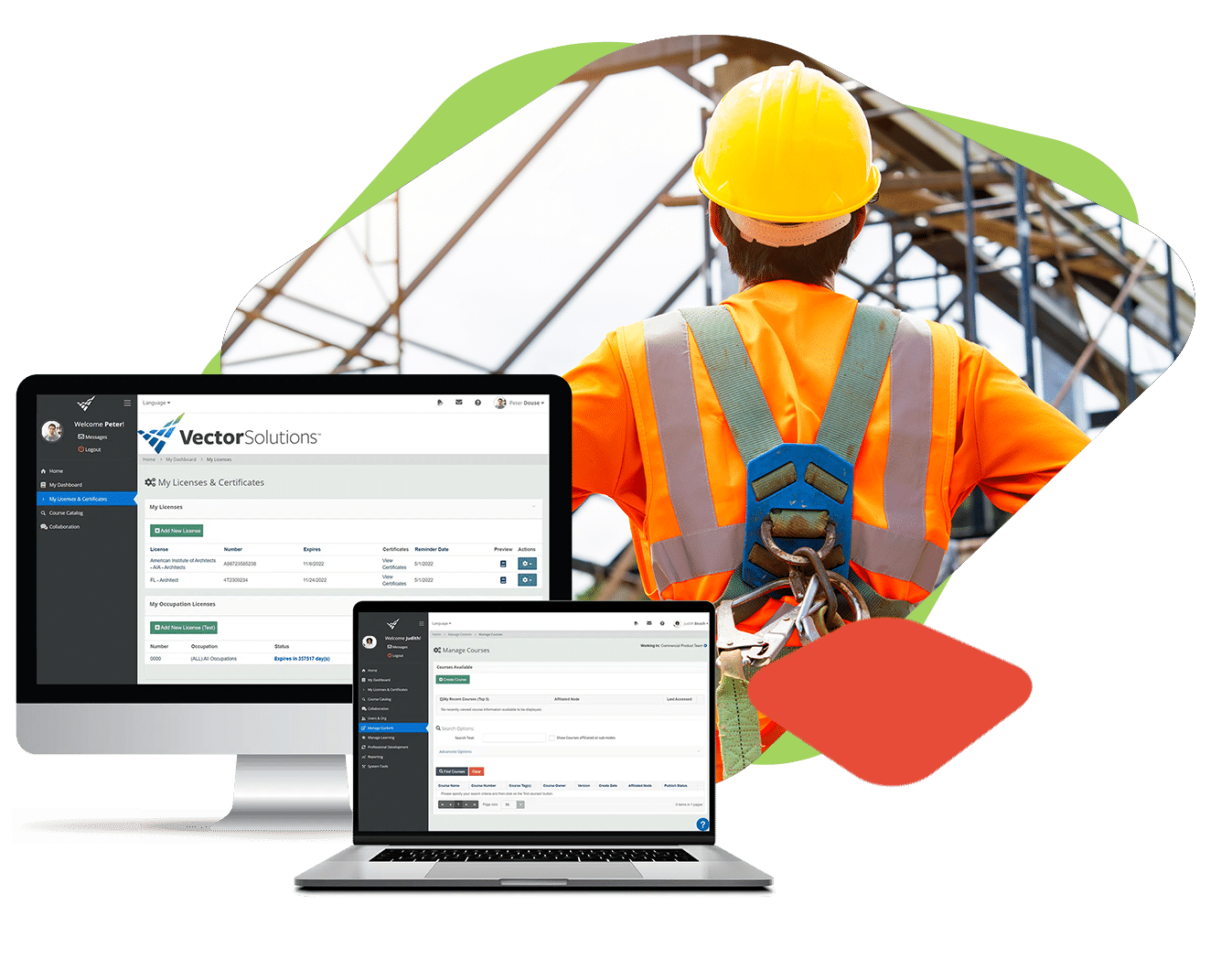
Compliance LMS costs, ROI, and the regulatory fine math
The return on a compliance training LMS isn’t measured in training efficiency. It’s measured in avoided fines, avoided breaches, and avoided shutdowns. The math clearly favors the investment.
Three pricing structures dominate the market. Per-seat pricing scales with headcount and is typical for mid-market organizations. Flat-fee or tiered pricing offers predictable costs and is common in enterprise contracts. Content library licensing adds a separate fee for pre-built regulatory courses versus authoring your own.
Setup costs for configuration, migration, and training are a one-time line item that buyers often underestimate. If you’re looking at free-tier LMS options, check what’s actually included. Free platforms rarely offer certification expiry tracking, audit-ready reporting, or HRIS integration. These are the exact features that make a compliance LMS worth buying.
The cost of getting it wrong
Regulatory fines anchor the ROI case because they dwarf annual LMS licensing costs:
- OSHA’s maximum penalty for a willful or repeated violation is $165,514 per violation, and violations stack. (OSHA)
- The global average cost of a data breach reached $4.88 million in 2024. Healthcare breaches averaged $9.77 million. (IBM)
- GDPR allows fines up to 4% of global annual turnover.
- FINRA imposed $59.8 million in fines in 2024. Supervisory and compliance failures remain perennial enforcement themes across the securities industry. (FINRA)
You can take a simple three-step calculation to your CFO:
- Identify the regulatory fines your organization is exposed to using the figures above.
- Estimate the probability of a compliance gap based on your current tracking method.
- Compare the annual LMS cost against the expected cost of one violation.
For most regulated organizations, a single avoided OSHA willful citation or a single prevented data breach pays for years of LMS licensing.
Vector Solutions’ EHS Management integration connects training records to incident reduction. This gives you the data to show leadership that training investment links to fewer incidents, not just fewer fines.
Start building your compliance training system with Vector Solutions
You now have a structured process for choosing a compliance training LMS that holds up in regulated settings. You can map your industry’s requirements to specific platform features and pressure-test vendors beyond the demo. You can also quantify the cost of a compliance gap in terms your CFO will act on.
We built Vector Solutions for exactly this kind of decision. More than 24,000 organizations across industrial, public safety, and healthcare sectors use our platform. It was designed for regulated settings from the start.
Every location executes the same compliance initiative on time. You can prove it worked with audit-ready reports exportable by job classification. Your team stops tracking certification expiry dates in spreadsheets because the platform re-enrolls workers before regulatory deadlines pass.
Stop Tracking Certification Deadlines in Spreadsheets
Vector Solutions re-enrolls workers before certifications lapse and generates exportable audit reports by job classification on demand. More than 24,000 organizations in industrial, public safety, and healthcare sectors rely on it.
Request a Demo
FAQs About How to Choose an LMS for Compliance Training
What makes a compliance LMS different from a general LMS?
A compliance LMS enforces regulatory deadlines. It generates audit-ready records by job classification. It also re-enrolls workers when certifications expire. Most general learning management systems lack these features. A general LMS delivers courses. A compliance platform tracks certification expiry, policy attestations, and exportable audit trails. Compliance platforms also include regulatory content libraries mapped to standards like OSHA, HIPAA, and DOT.
How do I calculate ROI on a compliance LMS when leadership asks for justification?
Compare your annual LMS cost against the expected cost of one regulatory violation. Follow a three-step calculation. First, identify your regulatory exposure. Second, estimate the probability of a compliance gap with your current tracking method. Third, compare LMS cost to one violation. OSHA willful violations reach $165,514 per incident. Healthcare breaches average $9.77 million, per IBM. For most regulated organizations, one avoided violation pays for years of licensing. Our EHS Management integration can also connect training records to incident reduction, giving you data that proves training reduces risk.
What should I ask a vendor to demonstrate during an LMS demo to verify audit readiness?
Run these four tasks yourself in the demo. Create a compliance course and assign it by job classification. Enroll a user and trigger an automated reminder. Run a completion report filtered by department and export it. Access the audit trail for a specific user’s certification history. If the vendor can’t complete any task, they’re ruled out. Also verify the platform exports records in standard formats like SCORM or xAPI to protect against vendor lock-in.
How long does it take to implement a compliance LMS, and what resources do I need internally?
Expect roughly 90 days from contract to full rollout. Needs assessment runs in weeks 1 through 2. Configuration and content migration happen in weeks 5 through 8. Pilot runs in weeks 9 through 10, with full deployment in weeks 11 through 12. Internally, you’ll need subject-matter expertise on your regulatory requirements. Someone should coordinate HRIS integration, and a pilot group should provide feedback. Vendors who can’t commit to a timeline are a red flag. Organizations with upcoming regulatory deadlines should focus on vendors with proven rapid deployment records.
Can a compliance LMS support multiple regulations across different sites and jurisdictions?
Yes. Compliance LMS platforms built for regulated industries let you assign different regulatory requirements by site, job classification, or jurisdiction. A healthcare organization can enforce HIPAA training for clinical staff while managing OSHA requirements for facilities teams. GDPR compliance for EU-based employees can run at the same time. Platforms with role-based learning paths and HRIS integration automate that assignment logic across sites. Multi-jurisdiction support requires data residency controls with exportable records that satisfy each regulatory authority.